

Description
Download Venlow APK – video status optimizer, vertical video editor, WhatsApp video tool, social media video tool, video cropping tool, free video editor
Overview
Venlow is a mobile utility application designed to simplify the creation of vertical video statuses for social media platforms, with a primary focus on WhatsApp. The software enables users to crop and optimize their videos into a vertical format, ensuring full-screen compatibility across messaging and content-sharing platforms. It is particularly useful for individuals who frequently share short video clips on WhatsApp, Instagram Stories, or other platforms that favor vertical video layouts.
Targeted at casual content creators and social media users, Venlow streamlines the editing process by removing the need for complex video editing tools. Its core purpose is to help users preserve video quality while adapting content to fit modern mobile viewing standards. The application is developed by Irshad P I, a creator known for producing lightweight, functional tools that enhance user experience within popular messaging ecosystems.
Real-world usage scenarios include preparing promotional clips, personal messages, or event highlights for immediate sharing. The tool is especially beneficial for users who want to maintain visual impact without investing time in advanced editing software. While the developer did not provide additional system requirements, the application is designed for Android devices and operates as a standalone utility.
Key Features & Capabilities
- Vertical Video Cropping – Automatically resizes and crops horizontal videos into a vertical format suitable for WhatsApp and social media platforms.
- Video Selection & Preview – Users can select clips directly from their device’s media library and preview the selected segment before processing.
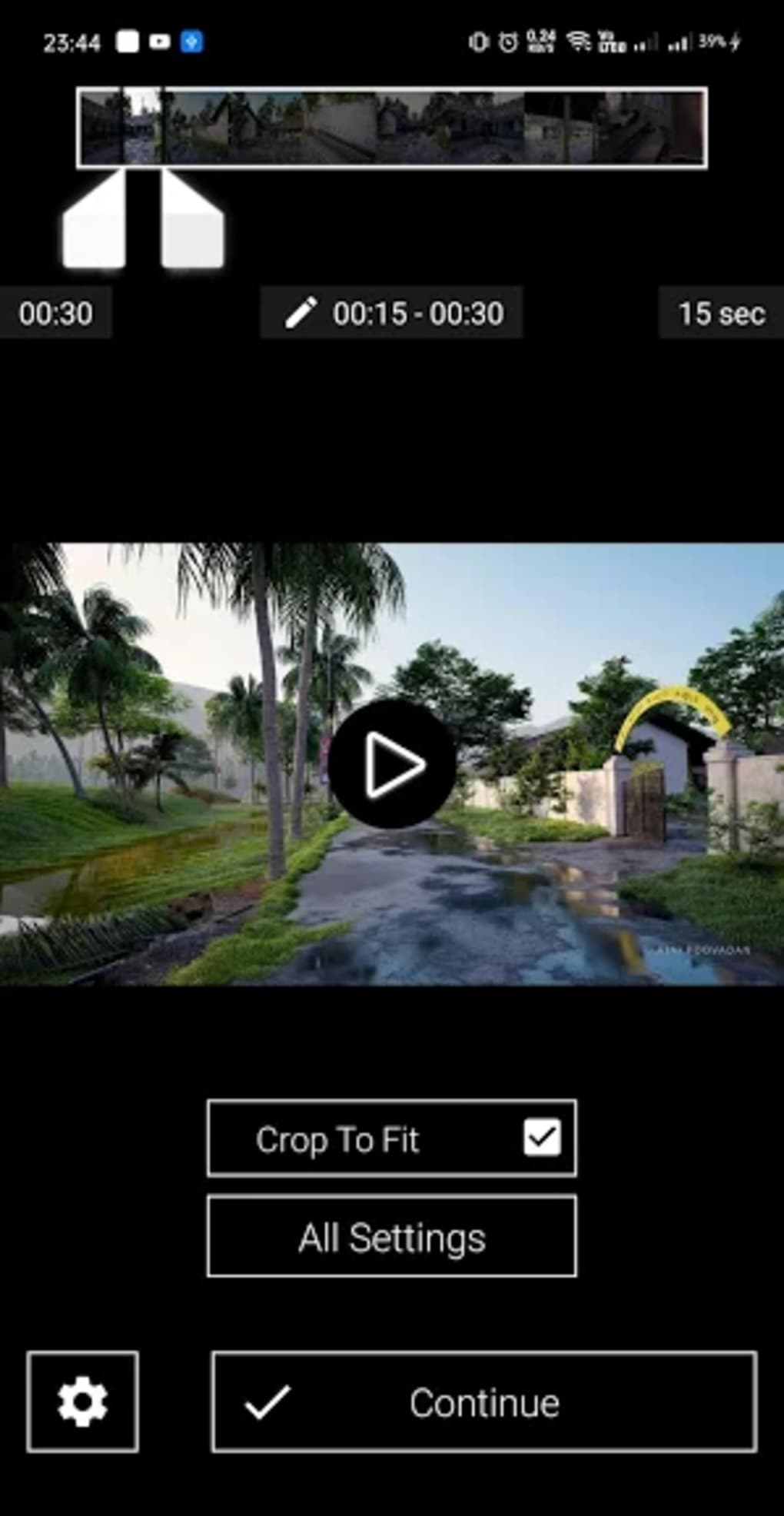
- Segment Selection via Seek Bar – A video seek bar allows users to pinpoint the exact portion of a clip to be cropped and optimized.
- Crop To Fit Option – Accessible through a gear icon, this feature ensures the selected video segment fits perfectly within the vertical frame without distortion.
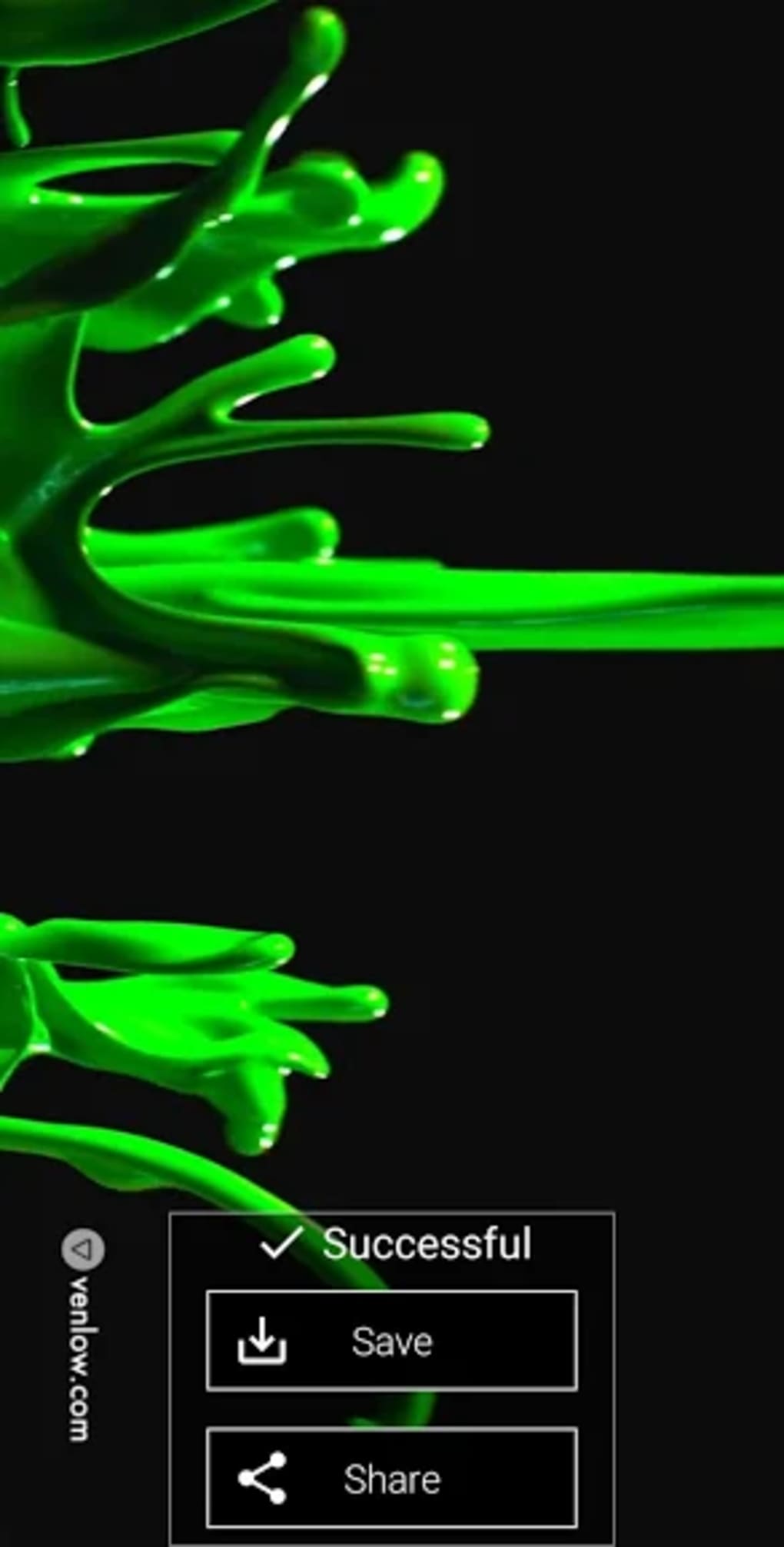
- Immediate Sharing & Save Options – After processing, users can choose to save the optimized video to their device or share it directly to WhatsApp or other apps.
- Settings Menu Access – The main interface includes a settings section for adjusting preferences, including maximum video duration in the free version.
- Premium Features – Available in the upgraded version, includes resolution and bitrate customization, watermark removal, and additional presets for optimized output.
These capabilities allow users to create polished, platform-ready videos in just a few taps. The workflow is intuitive, making it ideal for users without prior editing experience. The application supports real-time preview and processing, enabling quick adjustments and immediate feedback.
User Interface, Workflow & Performance
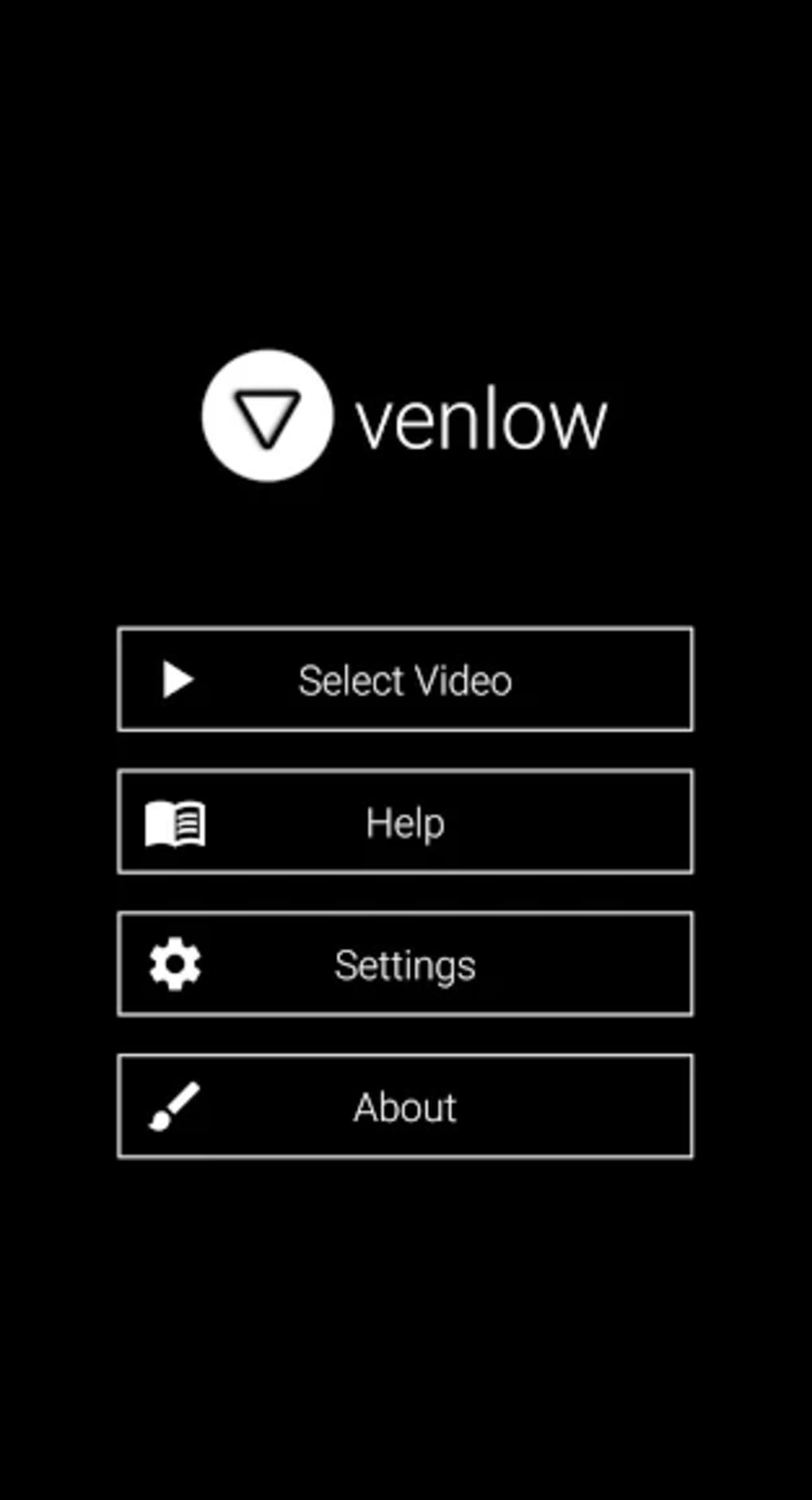
Venlow features a clean, minimalist interface focused on usability. The main screen presents key actions—“Select Video” and access to settings—prominently, reducing navigation complexity. Once a video is chosen, the editing screen displays a seek bar at the top, allowing users to select the desired segment. The gear icon provides access to cropping settings, with a clear “Crop To Fit” option to initiate the optimization process.
Navigating between steps is straightforward, with minimal on-screen clutter. The workflow is linear: select, preview, crop, and export—ideal for quick, on-the-go editing. The application does not require registration or account creation, ensuring immediate access upon launch.
Performance observations are based on general software behavior patterns. The developer did not specify resource usage details. Processing speed is noted to be hardware-dependent, meaning users with more powerful devices may experience faster encoding times. Stability during operation has not been independently verified, but the application functions as intended based on available information.
Compatibility & System Requirements
Venlow is designed for Android devices and is available as an APK file. The application’s installation size is 15 MB, indicating a lightweight footprint suitable for devices with limited storage. The software version is listed as 1.0, suggesting it is in its initial release phase.
Exact system requirements were not listed. Compatibility information is limited to the Android platform. Users should ensure their device meets the minimum requirements for running APK installations, including enabling “Unknown Sources” in security settings. The developer did not provide details on supported Android versions or hardware specifications.
Pros and Cons
Pros
- Simple, intuitive interface ideal for beginners
- Optimizes videos for WhatsApp and social media platforms
- Free to download and use with basic features
- Quick processing with minimal steps
- Offers premium upgrades for advanced settings
- Lightweight at 15 MB, suitable for low-storage devices
Cons
- Premium version may have occasional feature activation issues
- No detailed system requirements provided
- Processing time depends heavily on device hardware
- Limited to Android platform
- No support for horizontal video input optimization beyond cropping
- Only available as an APK, not through official app stores
FAQ Section
Is Venlow available on Google Play?
Venlow is distributed as an APK file and is not currently available on official app stores like Google Play. Users must manually install the application from trusted third-party sources.
Is Venlow safe to download and use?
While the application is developed by Irshad P I, users should only download the APK from reputable sources to avoid potential security risks. Always verify the file integrity and ensure device security settings allow installation from unknown sources.
Does Venlow require an internet connection?
Once installed, Venlow operates offline. No internet connection is required for video cropping, editing, or saving. However, sharing videos via WhatsApp or other apps may require an active connection.
Can I use Venlow on iOS devices?
Currently, Venlow is only available for Android. There is no version for iOS devices, and the developer has not announced plans for cross-platform support.
What are the differences between the free and premium versions?
The free version allows users to set a maximum video duration. The premium version unlocks additional features, including resolution and bitrate customization, preset options, and watermark removal.
Final Thoughts
Venlow delivers a focused, efficient solution for users who need to quickly convert horizontal videos into vertical formats for WhatsApp and social media. Its lightweight design, straightforward workflow, and free availability make it a compelling option for casual content creators. While the lack of detailed system requirements and limited platform support are drawbacks, the core functionality performs as expected.
For individuals who regularly share video statuses and value simplicity over complexity, Venlow is a reliable tool. The inclusion of premium features adds flexibility for users seeking more control over output quality. Despite minor concerns around the premium version’s stability, the application remains a practical choice for mobile video optimization.
Download Venlow APK now
Guides & Tutorials for Venlow APK
How to install Venlow APK
- Click the Preview / Download button above.
- Once redirected, accept the terms and click Install.
- Wait for the Venlow APK download to finish on your device.
How to use Venlow APK
This software is primarily used for its core features described above. Open the app after installation to explore its capabilities.
User Reviews for Venlow APK 0
No reviews found





